
Phone
Lead Inbox
For reps on the road and at events: a photo, a place and a card, captured in seconds and tidied up later at a desk or in the web app’s Inbox.
A photo and a place from the phone, business cards read into fields, forms on your website and Meta lead ads flowing straight in — so a name from an exhibition floor is in the pipeline before you have left the stall.
SimplCRM captures leads at the point of contact. The Lead Inbox on the phone saves a photo and the place it was taken, with business-card reading to fill in the name, company, phone and email. Web forms on your own site and native Meta lead ads from Facebook and Instagram arrive as leads without Zapier. Every lead then enters the same pipeline: routed to an owner by your rules, timed against a reply target, and merged with an existing lead when the same person enquires again.
Website, Meta lead ads, a referral, a trade show or a walk-in — each lead arrives with its channel, score, owner and reply clock.
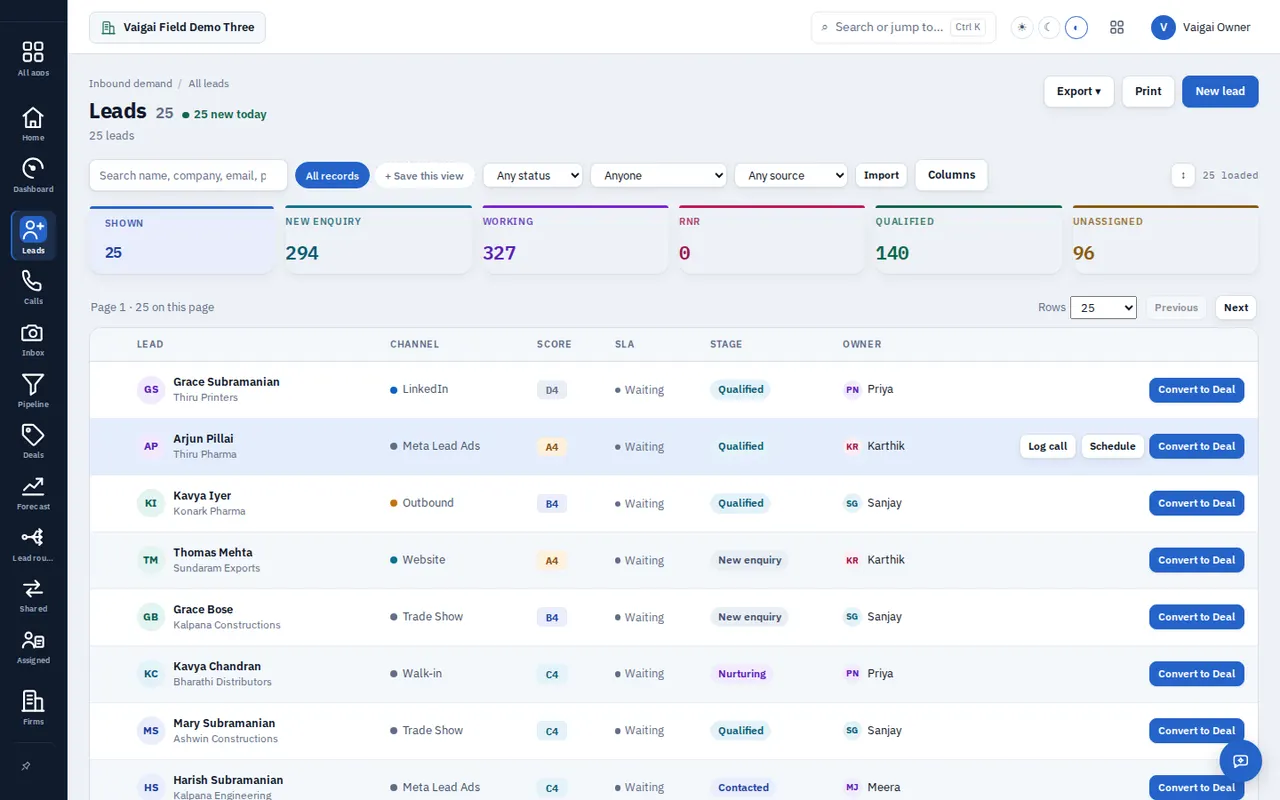
The channel and campaign stay on the lead, so “which source actually converts” is a report rather than a recollection.
Each lead carries a score and a warm or cold rating, so a long list of new names has an order to work it in.
Convert to deal reuses the company if it already exists and the contact if the email already does, rather than making a second copy of a customer you know.
A photo and a place, a business card read into fields — kept on the phone’s Inbox tab until somebody decides what each one is.
Photograph the shop or the stand and the phone attaches the picture and where you were standing. Every other field is optional, so capture never waits for a name you do not have yet.
Point the camera at a card and press Read card. What it reads fills the empty fields as a proposal you check before saving — it never overwrites what you typed.
Move a capture into the pipeline once it has a name, a number or an email. Snooze one with a reminder and it rises to the top of the inbox when the time comes.
However a lead arrives, it ends up in the same list, with the same owner rules and the same reply clock.
For reps on the road and at events: a photo, a place and a card, captured in seconds and tidied up later at a desk or in the web app’s Inbox.
Build a form in Settings, choose one of six looks, and put it on your page. Submissions filled in too fast to be human, or too often from one address, are ignored.
Connect a Page and each lead-form submission is fetched and filed as it happens, mapped to the lead’s fields, without a middleman tool or its task delay.
A website you build can post its own enquiries to SimplCRM, with a key limited to creating leads and nothing else, and be told when the lead moves on.
Leads waiting for an owner, leads waiting for a reply, how many were routed today, and how many were answered within your target.
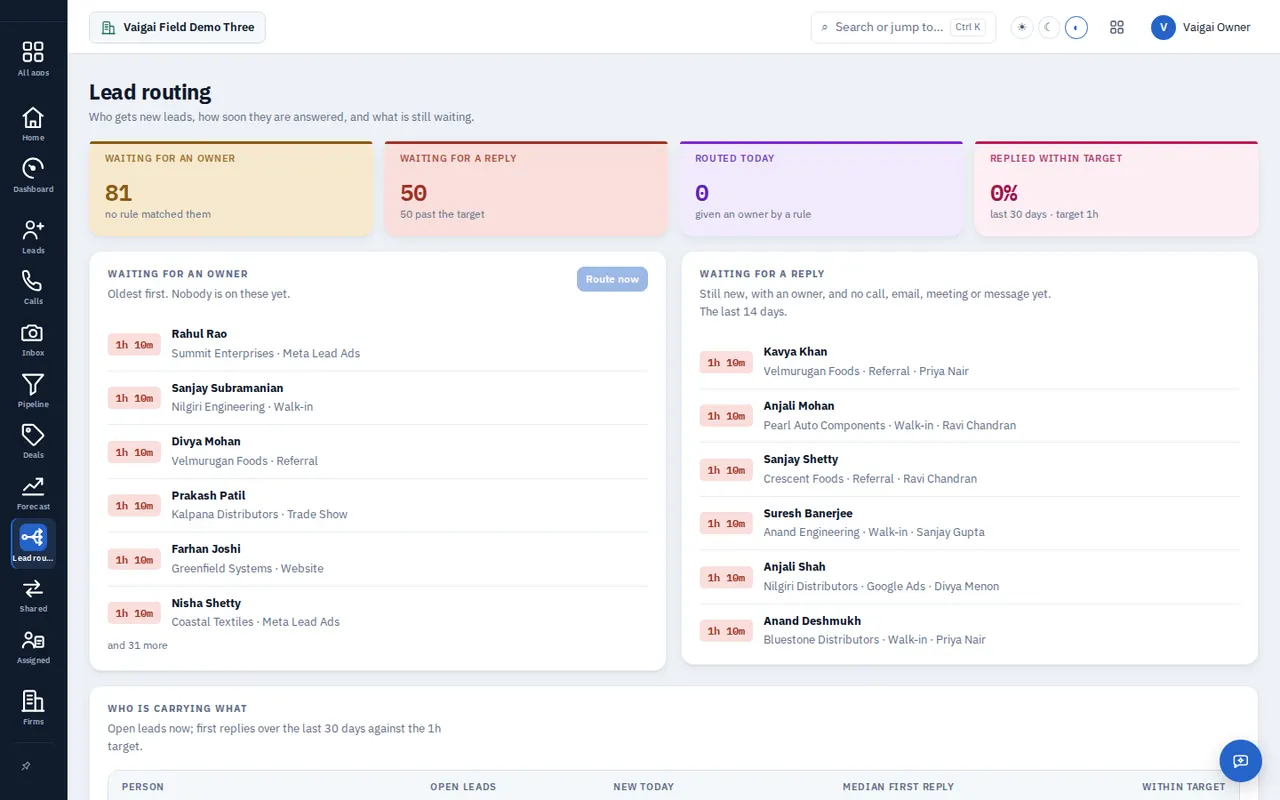
A rule matches on where the lead came from or which campaign it belongs to, and hands it to a person or takes turns across a team. A rule with no conditions catches everything else.
Set how quickly a new lead should hear back. Leads with an owner but no call, email, meeting or message yet are listed oldest first, with the ones past target called out.
Each person’s open leads, new today, median first reply and share within target, so an overloaded rep is visible before their leads go cold.
Because the spreadsheet is where leads go to be forgotten. A capture in the Lead Inbox exists the moment the photo is taken, with a place and a time on it, and it is in front of whoever reviews the inbox that afternoon rather than waiting for someone to import a file on Monday. The friction of capture is what decides whether a lead from a busy event is ever actually followed up.
You photograph the card and press Read card. The image is read by Claude on the workspace’s own Anthropic key, and the name, company, job title, phone, email, website and address come back as a proposal that fills only the empty boxes. You glance at it and save. With no key set, the card is kept as a photo and the fields are typed by hand — the capture never depends on the reading.
SimplCRM talks to Meta’s lead-ads platform itself. A workspace connects its Facebook Page in Settings; SimplCRM subscribes the Page, receives Meta’s notice the instant a form is submitted, fetches the answers and maps them to the lead’s fields. There is no automation tool between the two to pay for, and nothing waiting on a polling interval.
Yes, for leads that arrive by themselves. When a website form or a Meta lead ad comes in from an email or phone number you already have as a lead, it is added to that lead as a note rather than creating a second one. When a lead is converted, an existing company with the same name and an existing contact with the same email are reused, so the customer list does not quietly fill with copies.
The place a lead goes before it is a lead. From the Inbox tab on the phone, photograph a shop front, a stand or a business card; where you are standing is saved with it and every other field is optional. Back at a desk, the good ones are moved into the pipeline, the rest snoozed with a reminder or set aside.
Yes, once the workspace has set an Anthropic key under Settings → AI. Photograph the card and press Read card: the name, company, job title, phone, email, website and address come back to fill the empty boxes, for you to check before anything is saved. Without a key, the capture still works by hand.
Yes, natively. Connect your Facebook Page in Settings and SimplCRM subscribes to it, receives Meta’s notice the moment a Facebook or Instagram lead form is submitted, fetches the answers and files the lead — without Zapier or another tool in the middle.
Yes. Build a lead form in Settings, pick one of six looks so it fits the site it sits on, and put it on your page. Submissions arrive as leads. Forms filled in faster than a person could, or sent many times an hour from one address, are ignored.
It enters the pipeline like any other lead: routing rules give it an owner, the reply clock starts, and it is worked through the same stages. A repeat enquiry from the same email or phone is added to the lead you already have rather than making a second one.
Photograph a handful of business cards, read them into the Inbox, and move the good ones into the pipeline.